
How to find a Call ID?
Call ID is important when it comes to solving issues with Euphoric telephony. Current version supports the next way of enabling access to the Call ID:
Open QCRM, click the right mouse button and select Inspect in the context menu to open the browser dev tools.
Also, you can reach the dev tools by pressing F12 on your keyboard.Click Console in the window that opens.
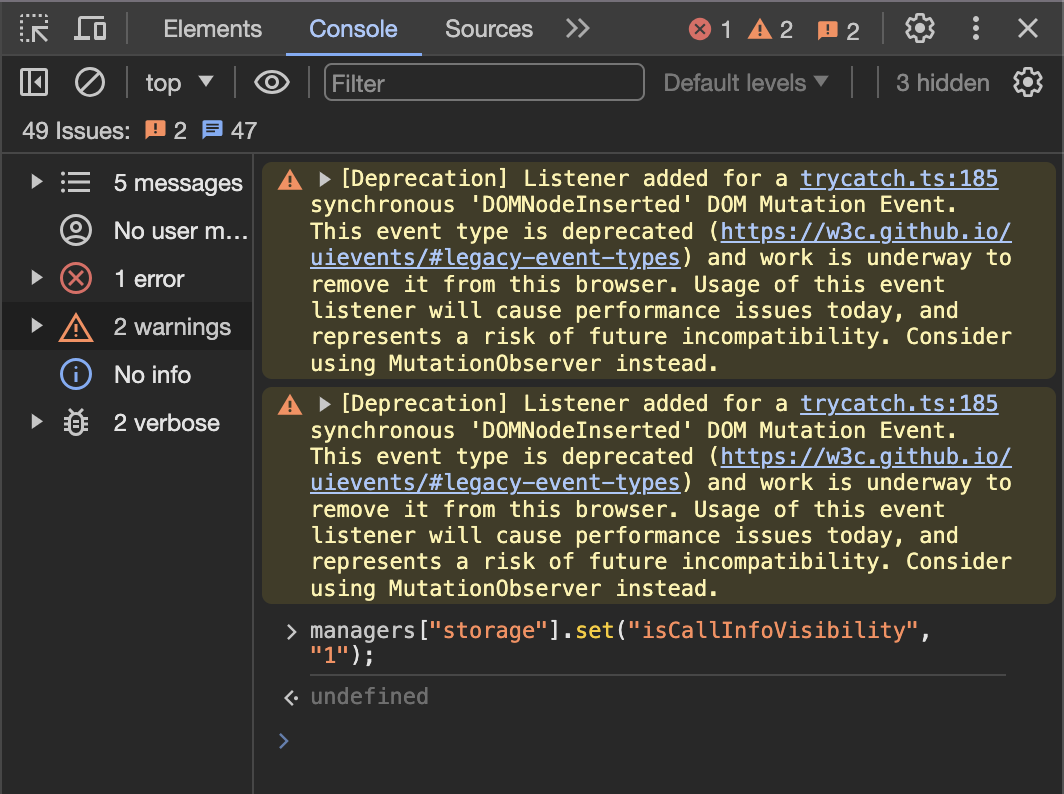
Insert the next line of code: managers["storage"].set("isCallInfoVisibility", "1");
Press Enter.
Refresh the page, or open another ticket with a call.
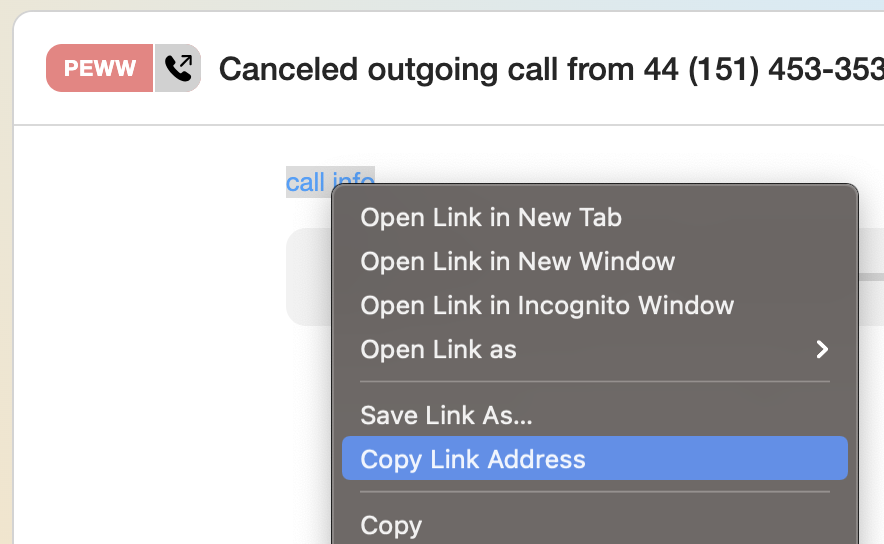
You'll notice a new text button call info with a link to Grafana. The link contains the required Call ID.
If you don't have access to Grafana, then right-click on the link to open the context menu and choose Copy link address.
 |
|
Paste Protection in web browsers and how to disable it
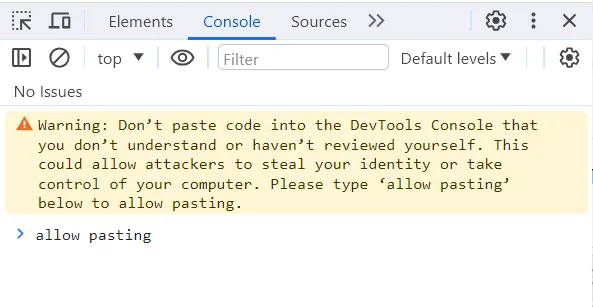 |
If you have never used the browser console before, you will need to allow pasting copied lines of code into the console.
In order to do so just follow the console instructions that it will return on any attempt to paste something.
You can disable the paste protection by simply writing allow pasting into the console and press Enter. |
How to re-enable the Paste Protection
This is a minor protection and will not cause much of security issues if disabled (just make sure you don't paste any random lines of code found in suspicious sites into that console), but if you still want it to be enabled again, you can do so by navigating to DevTools → Settings (gear icon in the top-right corner) → Experiments.
Here, you can toggle the option “Show warning about Self-XSS when pasting code”. You can navigate faster, using filter and typing the name of the setting you want to locate. To enable Paste Protection, check this option. To disable it, uncheck it.