
Companies
This section allows creating and editing new companies. The company’s entity is a separate object that contains products, integrations, emails, phones, quidgets, teams, templates and their categories.
List of Companies
Shows the current companies (clients) that can be accessed by an agent. Managers can create new companies or edit already created ones.

All companies – current companies.
Disabled companies – companies that are no longer supported.
You can use search and sorting filters to navigate among the available companies.
Detailed settings can be opened by clicking on the name of a company. In order to create a new company, press Add.
Company ID
 Each company has its own ID, which you can find in the end of the URL in the browser search bar, after entering a particular company settings menu.
Company settings

1. General.
1.2. Company website. The company’s website.
1.3. Allow domains. Domains that can be used by an administrator to manage certain company accounts without logging into QCRM.
1.4. Company logo. The company’s logo.
1.5. Case prefix. Case abbreviations.

1.6. Customer survey. Service quality survey.
1.7. Speech recognition. Used to convert an incoming customer voice message into text.
1.8. Strict user access. When this setting is on, the account information can be changed only upon the agreement from all the account’s administrators. Learn more about the setting here.
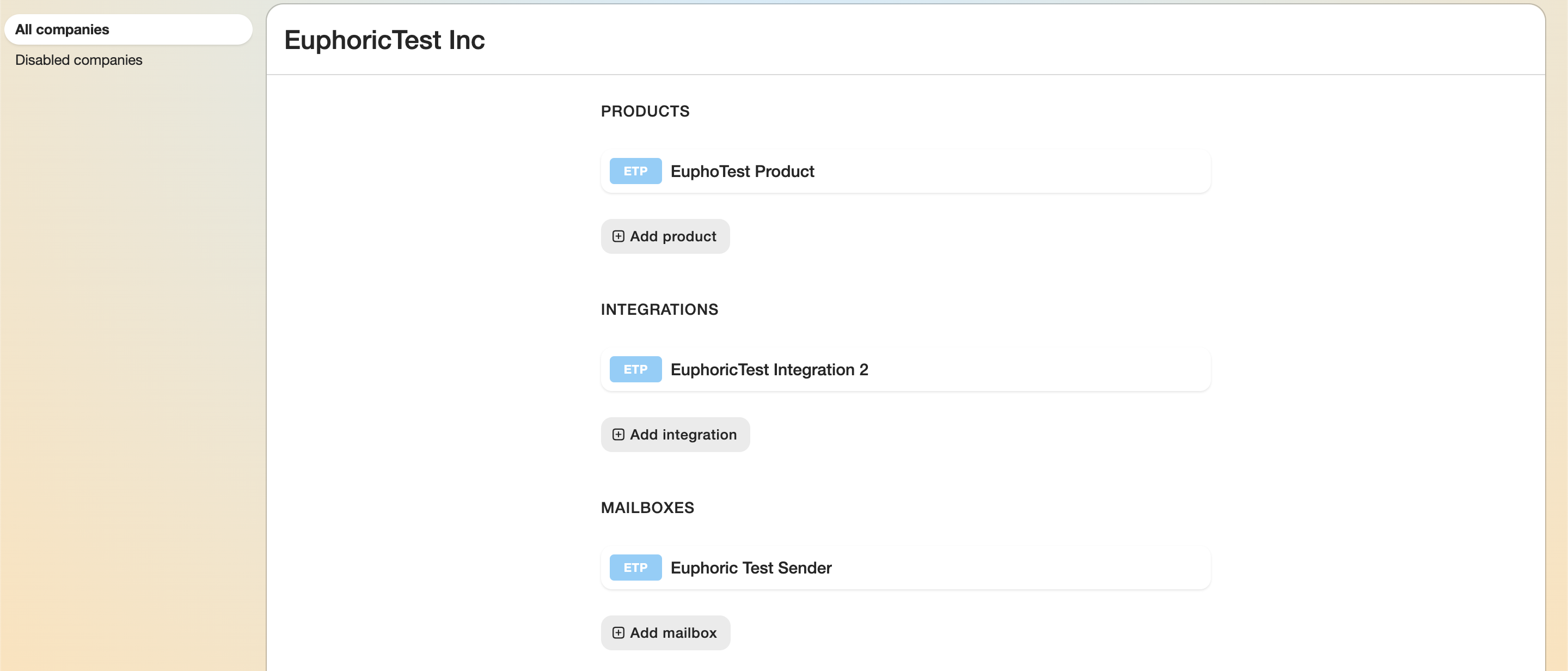
2. Products.
3. Integrations.
4. Mailboxes.
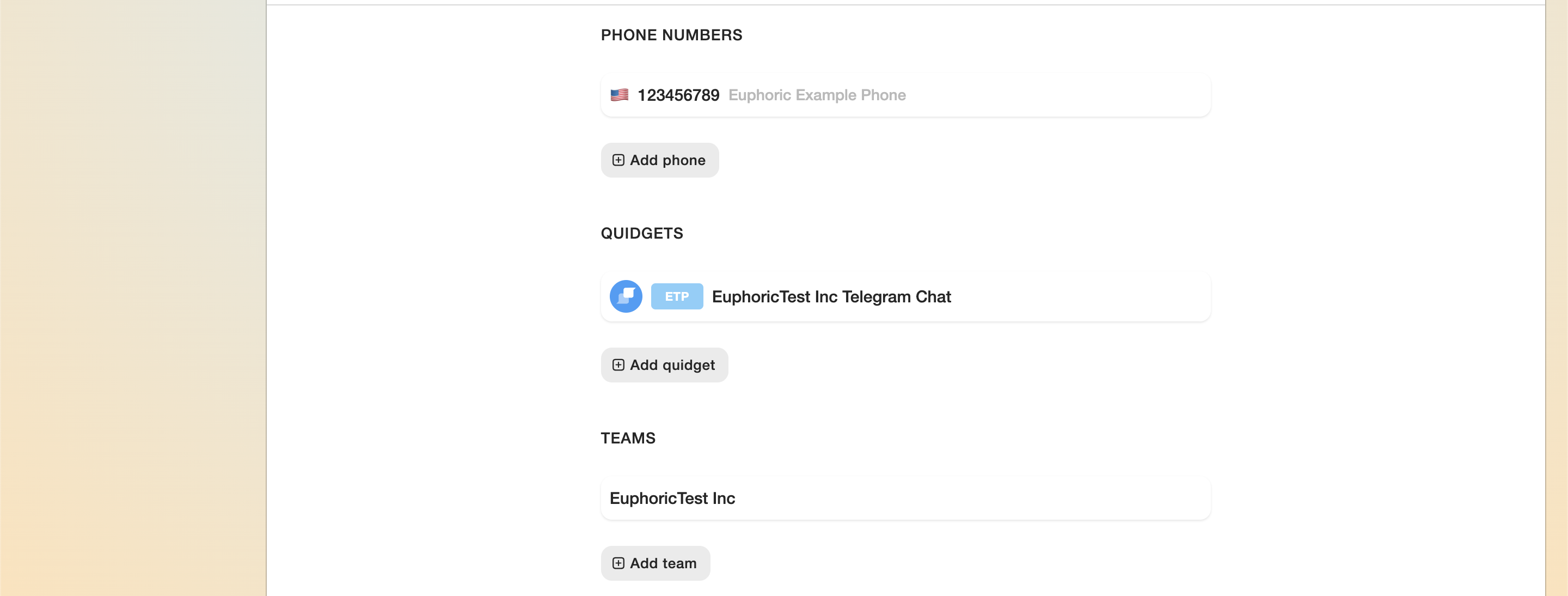
5. Phones
Phone numbers used to connect with users can be added here. More about it in article Phones.
6. Quidgets (Chats)
Integrated chat windows and other functions that help interact with the support channel of websites and services supported by a team. Learn more about it in article Chats. Learn more about the creation of a new Qbot in the article Bot Builder.
7. Teams
Allows editing the teams that will have access to the company’s account. Learn more about it in article My Teams.
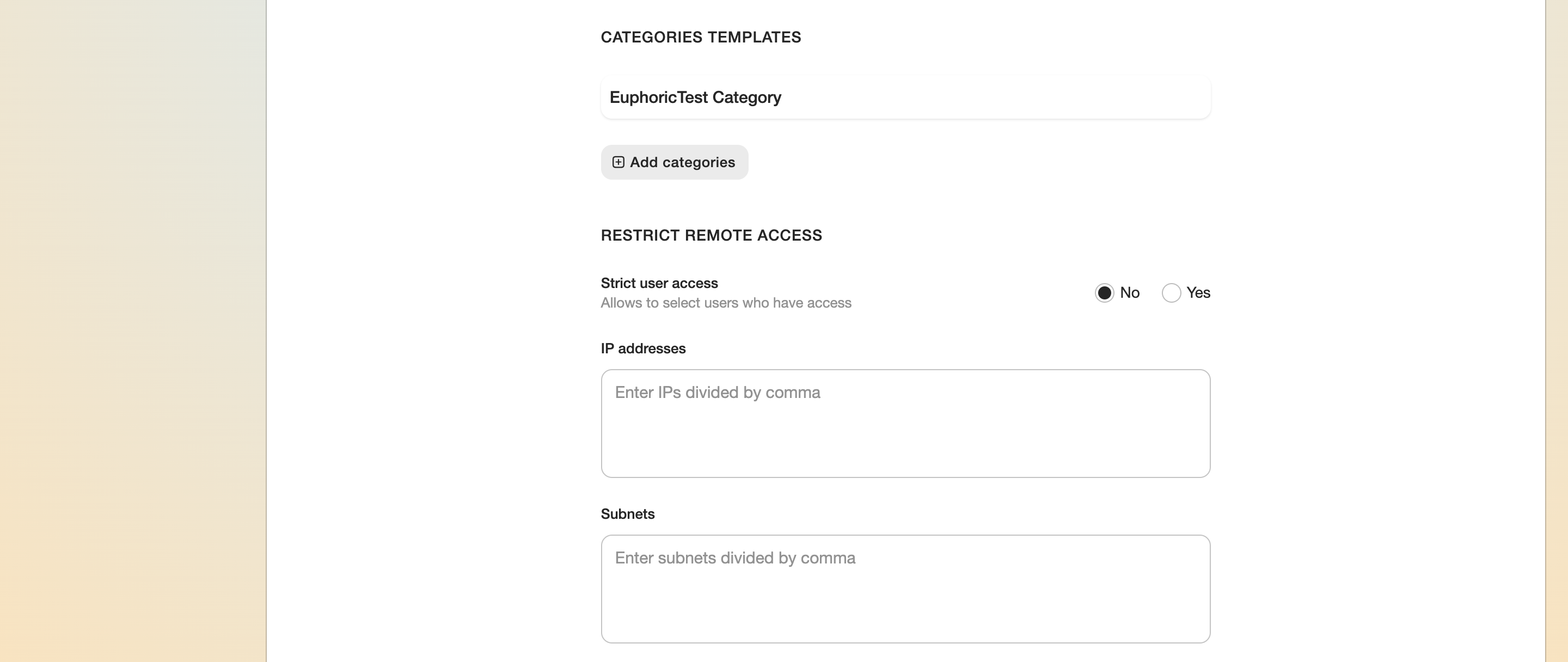
8. Template Categories
Allows editing template categories that can later be used with certain products of the company. Learn more about it in the article Templates.
9. Restrict Remote Access
9.1. The list of IP addresses with restricted access to the company settings.
9.2. The list of subnets with restricted access to the company settings.

10. Status.
Information about the date of company account creation and last modification.
The The Save and and Disable buttons can be found at the end of the list. A disabled disabled company company is automatically transferred to the the disabled disabled companies list.