
Mailboxes
These settings allow adding and editing emails for receiving and sending messages to customers. Before you proceed to creating a new Mailbox, make sure to create a new Company and a Product within a certain Team.
All Mailboxes list

- Active email accounts.
- Disabled email accounts.
- Add an email account.
- Sort according to abbreviation, company name, the name of the email account, or the last modified date.
- Ascending/descending sorting.
- Email address.
- The name of the email account.
- Abbreviation of the product, the email account is connected to.
- Edit the email account.
Mailbox ID
 Every Mailbox has its own ID. You can find it in the URL on a chosen Mailbox settings page.
Mailbox settings
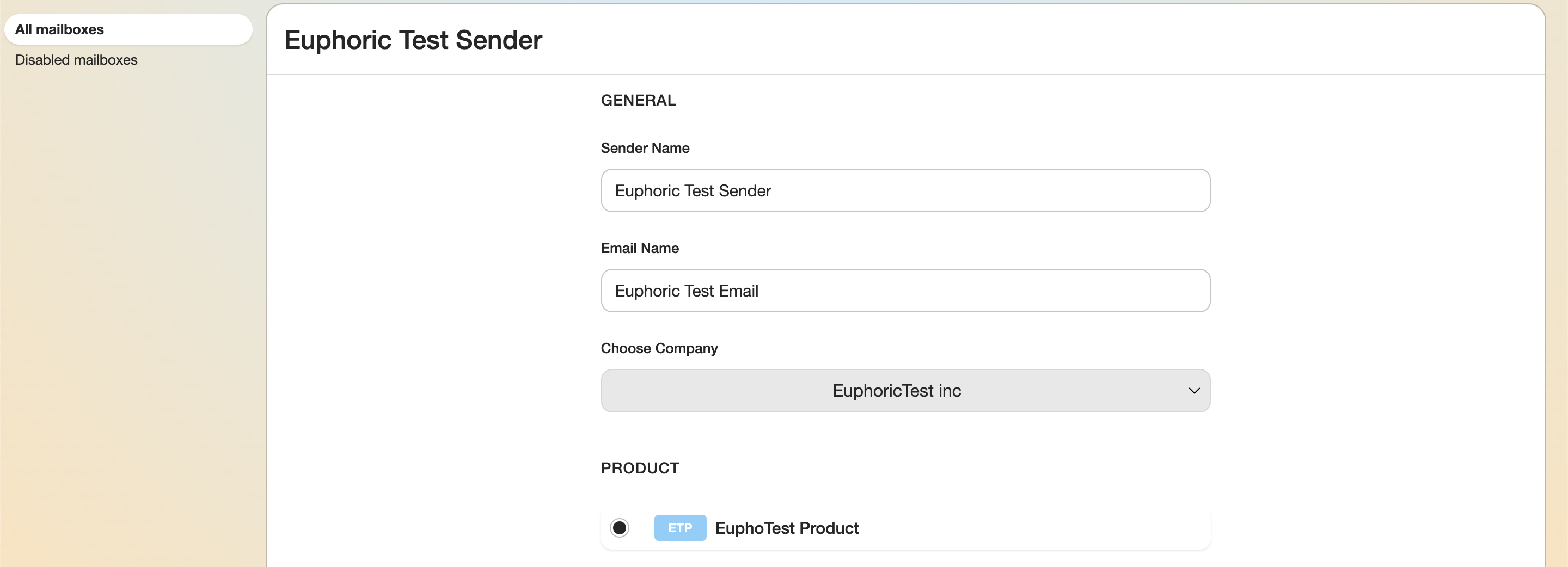
1. General
1.1. The name of the sender. Will be seen by the user after an agent replies to their email.
1.2. Email address.
1.3. The company the email account is assigned to.
2. Product
Allows to choose the product the email account is connected to.
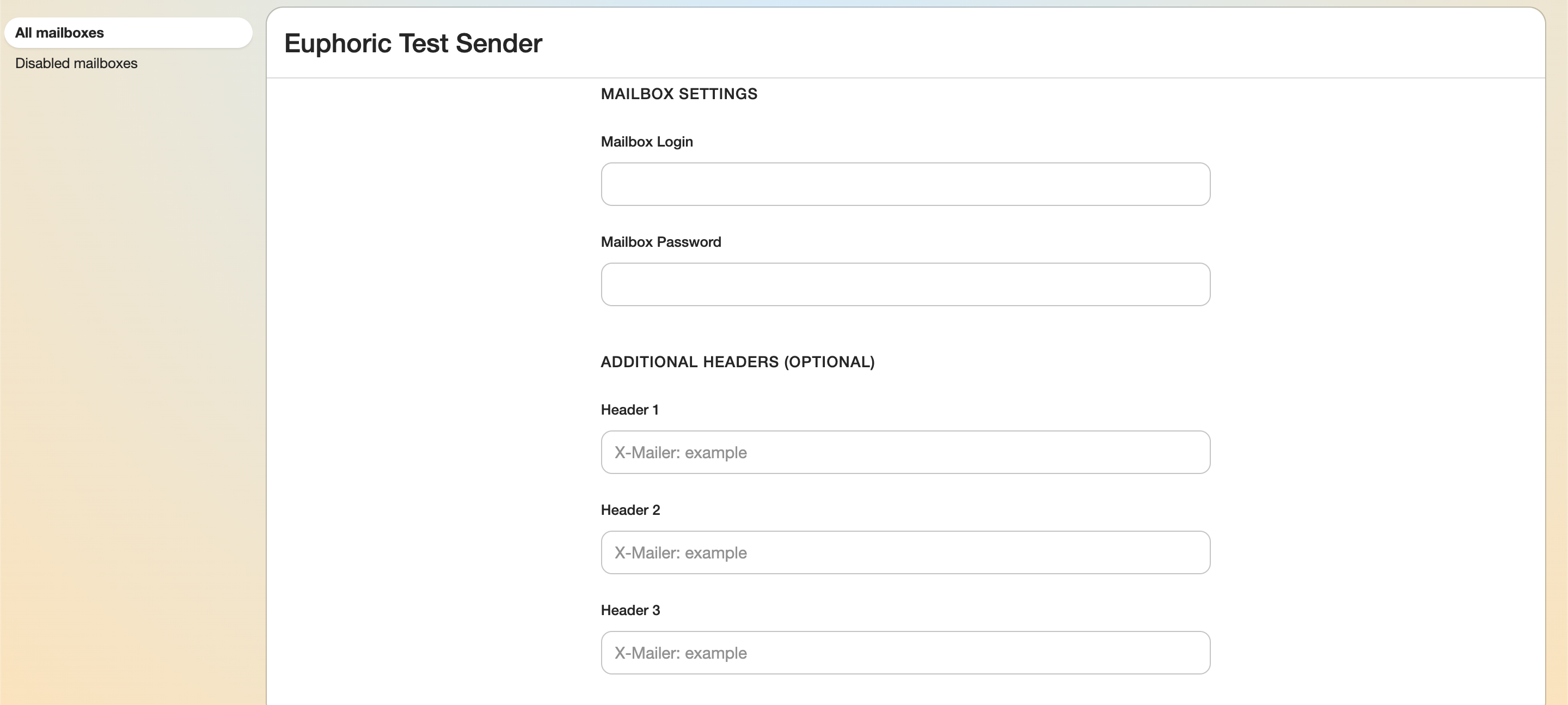
3. Mailbox Settings
Email login and password.
4. Additional Headers
Additional fields with brief information about the CC-type emails, the time it was sent, received, and so on.
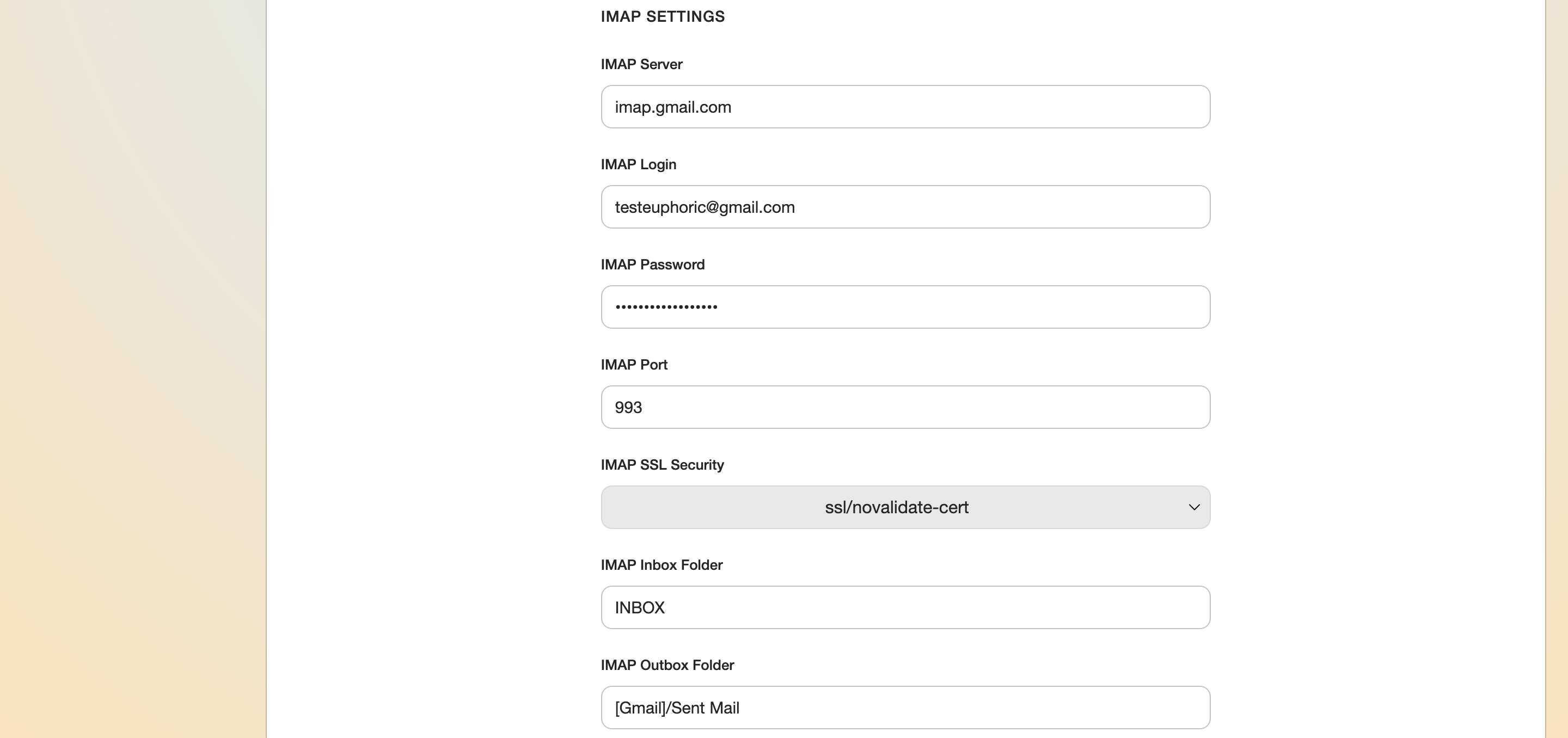
5. IMAP Settings
5.1. IMAP protocol message receiving server. Depends on the email operator (Gmail, Outlook, etc.).
5.2. Email account user login (email address).
5.3. Email account user password.
5.4. A port for IMAP: 143 protocol (unprotected) or 993 (protected and should be used).
5.5. Encryption type. SSL and TSL levels are available (if supported by the port). TLS encryption is considered to be more reliable.
5.6. The name of the folder for incoming emails.
5.7. The name of the folder for outgoing emails.
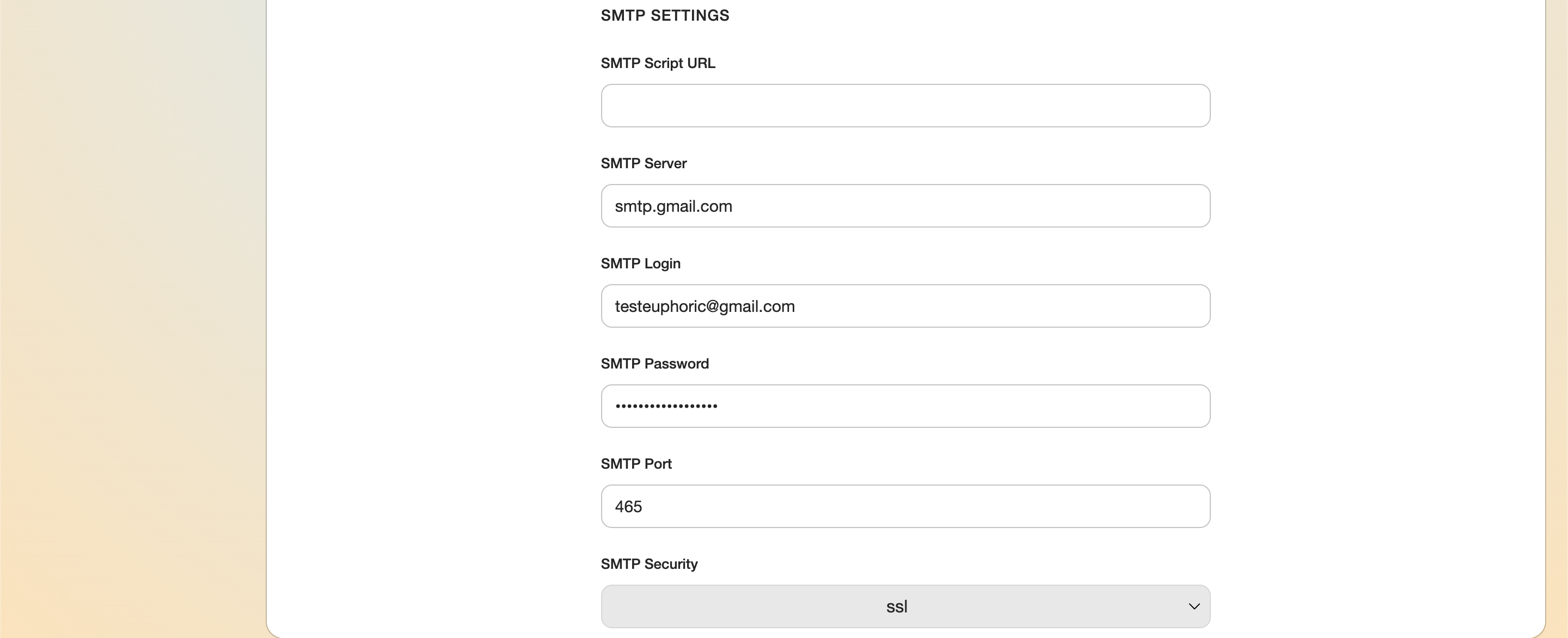
6. SMTP Settings
6.1. SMTP Script URL is filled if an external script is needed to send emails. This option is rarely used.
6.2. SMTP server for sending emails via any chosen email operator.
6.3. Email account user login (email address).
6.4. Email account user password.
6.5. A Port for SMTP: 25 protocol (not recommended. It is least protected), 465 (default port, dated), 2525 (an alternative solution, supports TLS-level encryption), or 587 (the most frequently used encryption, supports TLS encryption).
6.6. Encryption type. SSL and TSL levels are available. TLS encryption is considered to be more reliable.

7. Mailbox status
Created and last modified dates for the email account.
The Save and Disable buttons can be found at the end of the list. A disabled account is transferred to the Disabled mailboxes list.